The AI Built the Screen, but Did It Make It Reachable?
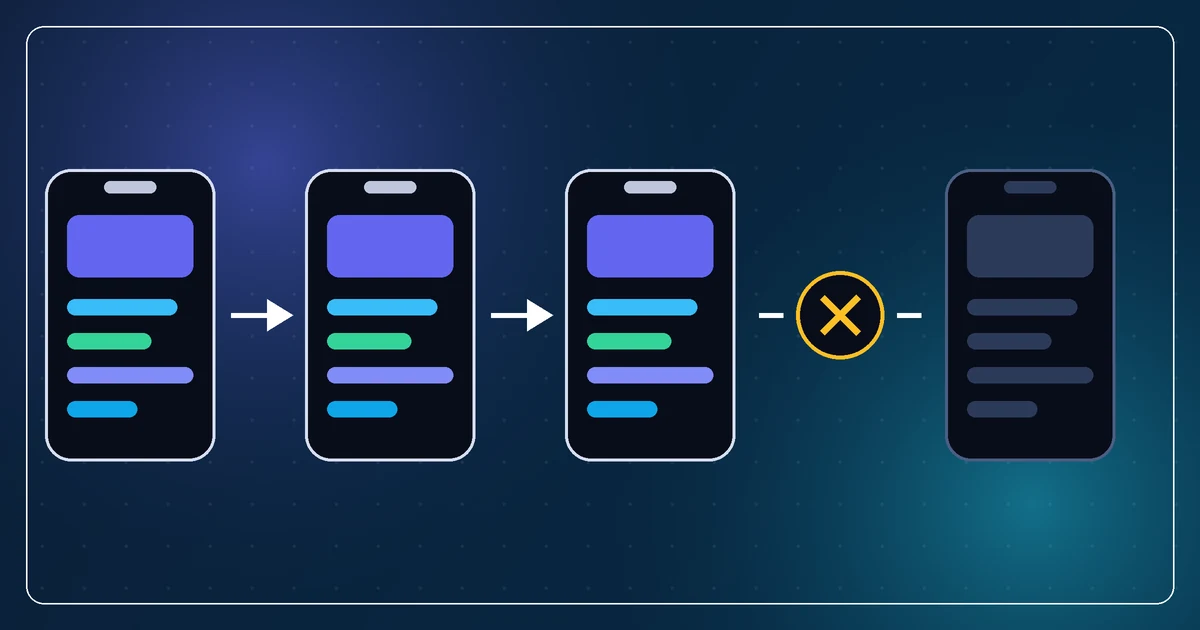
During a recent audit I found a complete store screen in an app. It had a layout, buttons, supporting logic, and enough polish to look finished.
There was just one problem: no user could open it.
The route was never connected to the rest of the app. In another project, a settings screen existed but the flag that revealed it was never set. Elsewhere, a feature had been built in a separate source tree that was not included in the build target at all.
This was not one unusually messy codebase. We audited four related apps and found some version of the same problem in every one.
How this happens
AI coding agents are very good at completing the task directly in front of them. Ask for a settings screen and you will probably get a settings screen. Ask for a store and it can build the store.
What it may not do, unless you make it part of the task, is trace the entire path from the app's entry point to that new feature.
The conversation also moves on quickly. A feature gets generated, the plan changes, and the next session starts somewhere else. The files remain behind as convincing evidence that the feature exists.
This is especially easy to miss when the project compiles. A compiler can confirm that a class is valid. It cannot tell you that nobody ever navigates to it.
"It exists" and "a user can reach it" are two different claims.
The audit that exposed it
I had four versions of related apps and needed an honest inventory before deciding what to rebuild. Listing filenames would not have been enough. A folder called Settings tells you almost nothing about whether settings are available in the running app.
So each audit started at the actual entry point and followed the navigation:
- What launches first?
- Which controls can the user see?
- What does each control call?
- Which route or screen does that lead to?
- Can every supposedly finished feature be reached through one of those paths?
That final question changed the result. Instead of a flat list of screens, we had a list of shipped features, incomplete features, and built-but-unreachable features.
The unreachable category was the surprise.
Dead code is not always harmless
It is tempting to treat an unreachable screen as clutter and nothing more. Sometimes that is true. But dead features create several real problems.
First, they distort planning. If I believe a feature is mostly complete, I might budget an hour to polish it. If it is disconnected from the product and built against old assumptions, the real job may be a day.
Second, they can hide faults. One of the unreachable areas contained code that could crash if it ever ran. Its invisibility had protected it from testing, not made it correct.
Third, they confuse AI agents. A future agent sees a polished screen and reasonably assumes it is part of the product. It may update that code, write documentation for it, or use it as the pattern for another feature.
Finally, they make a rewrite harder. You cannot make a sensible keep-or-kill decision when you do not know which parts users actually have.
The prompt I use now
After an AI builds a feature, I no longer stop at:
Does it compile?
I ask:
Trace this feature from the application's entry point. Show the exact user action that opens it, the route or state change involved, and any condition that could prevent it appearing.
That wording forces the agent to examine integration rather than merely confirm that files exist.
For larger audits, I add:
Classify each feature as reachable, conditionally reachable, built but unreachable, incomplete, or dead.
Those categories are far more useful than "implemented" and "not implemented."
Test the journey, not just the destination
The best check is still to run the app and follow the path yourself. If a user must tap Profile, open Settings, enable Advanced Mode, and then choose an editor, test that whole journey.
Unit tests can prove the editor logic works. A screenshot can prove the screen renders. Neither proves there is a door leading to it.
This is one of the recurring lessons of AI-assisted development. The generated piece can look remarkably complete while the surrounding product remains unfinished. AI makes producing code cheap, but connection and verification still cost attention.
The screen was there. The feature was not.